Stay in Control of Your (Trial) Subscriptions
Add your subscriptions and free trials – we remind you several times before the cancellation deadline. No bank access, no account linking.
Why SubTrial?
Multiple Reminders
By default 7 days and 1 day before your deadline – in the morning, in your time zone
Simple & Clear
All your subscriptions at a glance – clearly organized
No Bank Access
No account linking, no payment details. Data is encrypted in transit and at rest, and we only store what the reminder needs.
How It Works
Add Subscription
Add your subscriptions with cancellation deadlines
Get Reminded Repeatedly
The first email arrives 7 days ahead – enough time to act
Decide Consciously
Cancel in time or keep the subscription – you decide
Stay in Control
Simple management and timely notifications
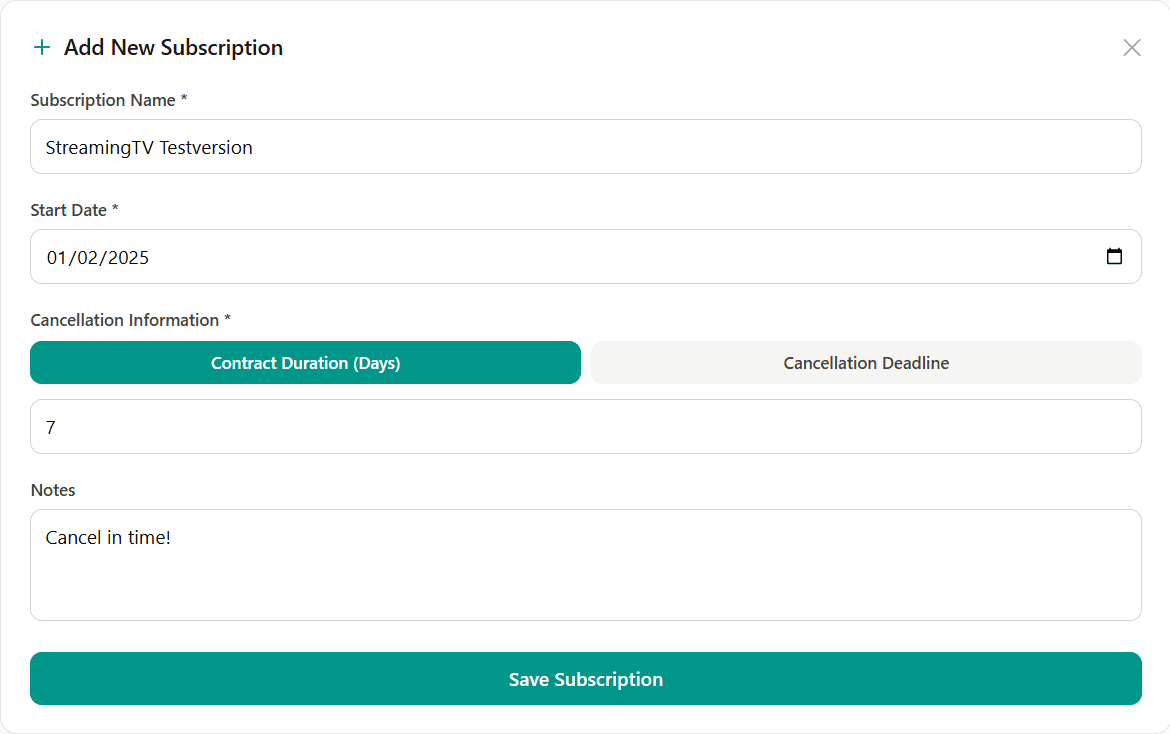
Quick & Easy to Create
Add new subscriptions in seconds. Simply enter the name, start date, and cancellation period – done!
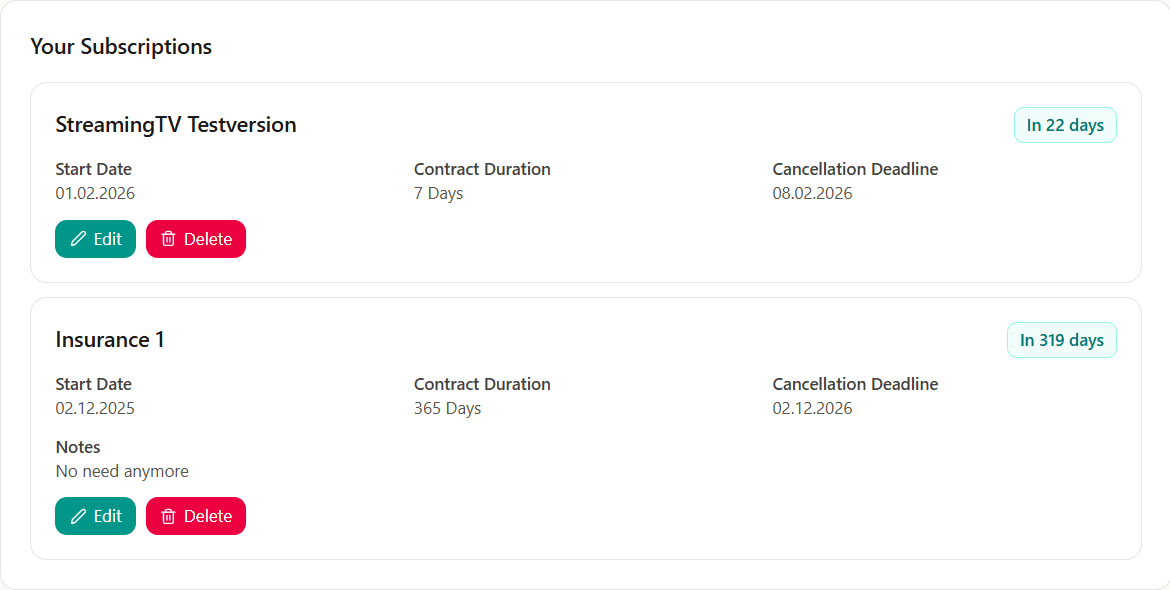
Your Personal Dashboard
All subscriptions at a glance. See instantly which deadlines are coming up.
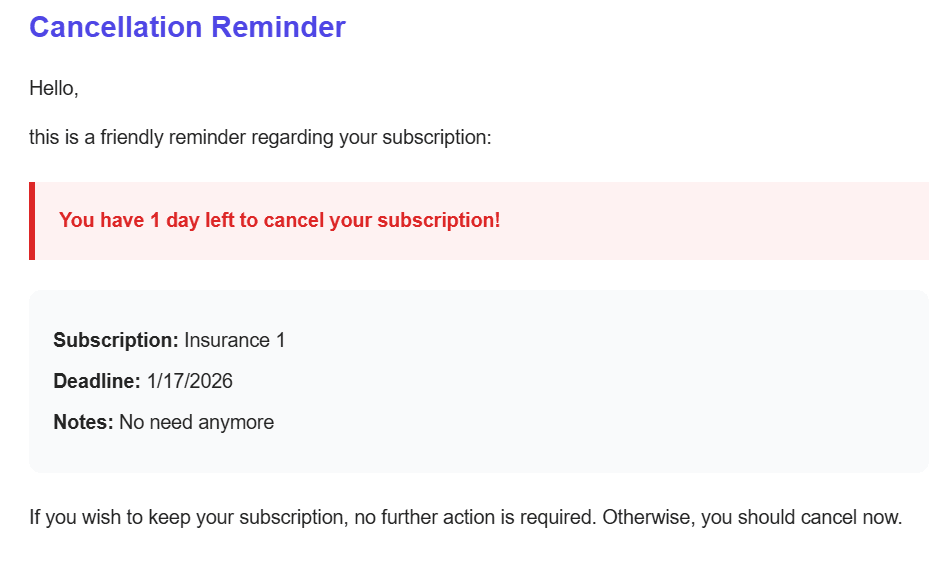
Timely Reminders
Receive several emails before the deadline – with all the important details.
Frequently Asked Questions
How much does SubTrial cost?
+
SubTrial is free. You can track up to 10 subscriptions and get two email reminders for each one before its cancellation deadline.
When will I get the reminder?
+
By default 7 days and 1 day before your cancellation deadline, each at 9am in your time zone. You can set both points in time and the hour per subscription.
Do I need a password?
+
No. Sign-in works via magic link: enter your email address and we send you a link that logs you in.
Do I have to connect my bank account?
+
No. SubTrial needs no access to your bank account and no payment details. You add your subscriptions yourself – we only store the name, start date, deadline and optional notes.
How is my cancellation deadline calculated?
+
SubTrial keeps the minimum term and the notice period apart. If you enter both, the deadline is the end of the term minus the notice period. You can also enter the date directly – before saving we always show you the resulting deadline.
Can I delete my data?
+
Yes, at any time. From the dashboard you can delete individual subscriptions or your entire account. Deleting your account removes all data permanently.
SubTrial - Manage Your Subscriptions and Free Trials
SubTrial helps you keep track of your subscriptions. Manage Netflix, Spotify, Audible and other (trial) subscriptions in one place. Multiple email reminders before your cancellation deadline make sure you never get charged unexpectedly. Free, and without bank access.